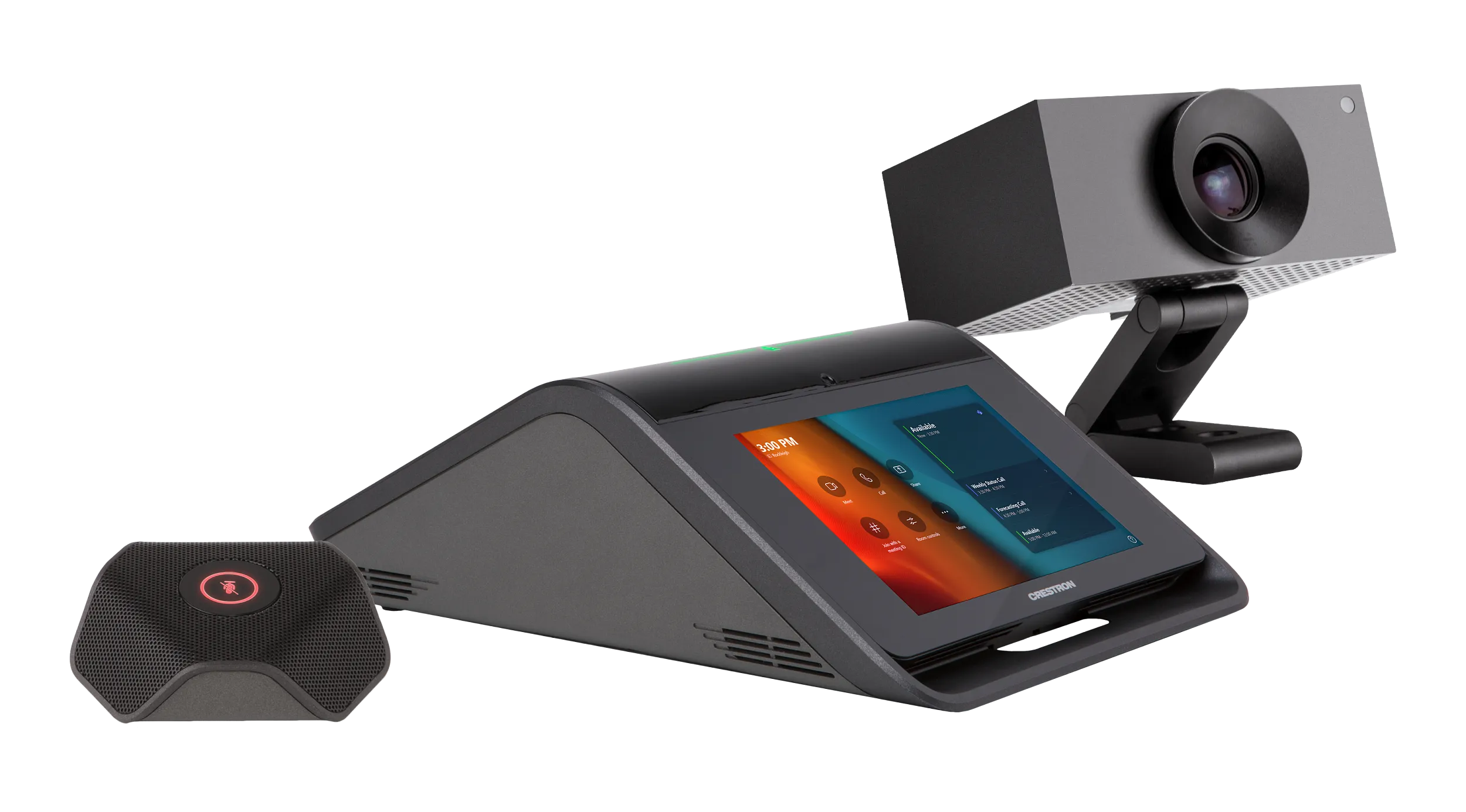
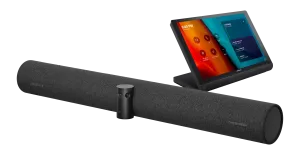
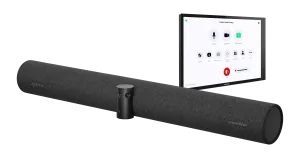
UC-M70-T Crestron Flex masaüstü konferans sistemi, Microsoft Teams® Rooms yazılımıyla birlikte kullanılmak üzere geniş odalı bir video konferans çözümü sağlar. Tek veya çift video ekranını1 (dahil değildir) destekler ve Crestron Flex masa üstü konferans cihazı, kurumsal sınıf kamera, UC braket düzeneği, mikrofon bölmesi, güç kaynağı ve kablolara sahiptir.
Öne Çıkan Özellikler
- Microsoft Teams® Rooms ortamı için masaüstü video konferans çözümü
- Yerel Microsoft Teams Rooms dokunmatik ekran kullanıcı arayüzü, basit işlem ve tek dokunuşla toplantıya katılma özellikleriyle tutarlı bir kullanıcı deneyimi sağlar
- Eksiksiz kit, Crestron Flex masa üstü konferans cihazı, AI işbirliği kamerası, UC braket düzeneği, mikrofon bölmesi, güç kaynağı ve kabloları içerir; yalnızca bir ekran ekleyin ve monte edin
- Belirlenmesi ve kurulumu kolaydır; özel tasarım, programlama veya yazılım kurulumu gerekmez
- Crestron® kontrol sistemleriyle isteğe bağlı entegrasyon
- Basit kurulum ve konfigürasyon için UC Engine ile Crestron Flex masa üstü konferans cihazı arasında doğrudan bağlantı seçeneği
- Ağ yönetimi ve provizyonu, sistem uyarıları ve Crestron Flex masaüstü konferans cihazının XiO Cloud® hizmeti aracılığıyla sistemin UC Motoruyla eşleştirilmesi
- Crestron Flex Care ile birinci sınıf destek (isteğe bağlı)
- Kurumsal düzeyde güvenlik – herhangi bir kurumsal veya KOBİ ağı üzerinden güvenli bir şekilde bağlanır ve iletişim kurar
- Tek veya çift video ekranını destekler (dahil değildir)
Teknik Özellikler
| CCS‑UC‑1‑T‑V | Crestron Flex masaüstü konferans cihazı: kablo, CAT5e, RJ‑45-RJ‑45, 3,66 m (12 ft); kablo düzenleme aparatı |
|---|---|
| UC‑BRKT‑200‑S‑T‑ASSY | Microsoft Teams Rooms sistemleri için UC braket grubu; içeriği: UC Engine (Microsoft Teams yüklü mini PC), ADPT‑USB‑ENET USB-Ethernet adaptörü, içerik alma için HDMI®’dan USB 3.0’a dönüştürücü, montaj aparatı |
| UC-CAM-L1 | AI collaboration camera |
| CCS-UCA-MIC | Extension microphone pod |
| CBL-4K-DP-HD-6 | DisplayPort™’tan HDMI’a kablo, 1,8 m (6 ft); ikincil ekran |
| CBL‑CAT5E‑7 | UC Engine için Ethernet LAN kablosu, RJ‑45-RJ‑45, siyah, 2,1 m (7 ft) |
| CBL‑HD-6 | HDMI arayüz kablosu, 1,8 m (6 ft); birincil ekran |
| CBL‑HD‑20 | HDMI arayüz kablosu, 6,1 m (20 ft); içerik paylaşımı |
| CBL-USB-A-BMICRO-6 | USB kablosu, USB Type A erkek – Micro‑B erkek, 1,8 m (6 ft) |
| CBL‑USB‑A‑EXT‑15 | USB uzatma kablosu, USB Type A erkek-dişi, 4,6 m (15 ft) |
| DM-CBL-ULTRA-PC-20 | Dokunmatik ekran için Ethernet LAN kablosu, CAT6a, RJ‑45-RJ‑45, mavi, 6 m (20 ft) |
| PW‑2420RU | Evrensel güç kaynağı ve güç kablosu |
| Dokunmatik Ekran | 7 inç (178 mm) çapraz, kapasitif çoklu dokunmatik TFT aktif matris renkli LCD, 1280 x 800 piksel |
| UI | Microsoft Teams Rooms arayüzü ve isteğe bağlı Crestron oda kontrol arayüzü 2 |
| Mikrofon Sessiz Simgesi ve Işık Çubuğu | (2) Çift renkli LED’li kapasitif düğme; iki düğme de sessize alma ile sesi açma arasında geçiş yapar |
| AEC | Limes Audio TrueVoice® akustik yankı giderme, otomatik mikrofon miksajı, otomatik kazanç kontrolü ve dinamik gürültü azaltma; tam çift yönlü, IEEE 1329 Type 1 uyumlu |
| Speaker | Tam bant hoparlör; amplifikatör gücü: 11 W; 0,5 m’de en yüksek çıkış 95 dB SPL; frekans yanıtı: 90 Hz – 22 kHz |
| Microphones | 360° quad mic array; Pickup Range (typical): 20 ft (6 m) |
| Extension Microphones | Bir adet ek mikrofon ünitesi (CCS‑UCA‑MIC) dahildir |
| Occupancy Sensor | Dokunmatik ekranın önünde 1,83 m (6 ft) PIR algılama menzili; |
| Ethernet | 100 Mbps, otomatik geçiş, otomatik uzlaşma, otomatik keşif, tam/yarı çift yönlü, DHCP, TCP/IP, UDP/IP, CIP, SSL, TLS, SSH, SFTP (SSH Dosya Aktarım Protokolü), SRTP, IEEE 802.1X, Active Directory kimlik doğrulaması, digest erişim kimlik doğrulaması, parolayla oturum açma, XiO Cloud istemcisi, Microsoft Intune® istemcisi, IEEE 802.3at Type 2 PoE+ uyumlu |
| USB | USB 2.0 mikro Type B cihaz portu, UC Engine’e ses arayüzü için UAC destekler (kablo dahil) |
| Power Options | PoE+: IEEE 802.3at Type 2, Sınıf 4 (25,5 W) PoE+ güç alan cihaz. NOT: Ek mikrofon ünitesi (CCS‑UCA‑MIC) kullanılırsa cihaz PoE+ ile beslenemez. 24 VDC: harici 100‑240 VAC, 50/60 Hz güç ünitesi (model PW‑2420RU) üzerinden 24 VDC |
| Dimensions | Yükseklik: 15,00 inç (381 mm), Genişlik: 14,50 inç (368 mm), Derinlik: 1,87 inç (48 mm) (HD-CONV-USB-200 ile UC Braket Grubu); 1,93 inç (49 mm) (HD-CONV-USB-300 ile UC Braket Grubu) |
| Weight | 1.3 lb (0.6 kg) |
| Model | CCS-UCA-MIC |
| Communications | A2B veri yolu protokolü, bağımlı (slave), senkron veri, çok kanallı I2S/TDM’den I2S/TDM’e |
| Microphone | (3) kardioid elektret elemanlı üçlü mikrofon dizisi |
| Pickup Range | 20 ft (6 m) typical, 360° |
| Mic Mute | (1) Çift renkli LED’li kapasitif düğme; sessize alma ile sesi açma arasında geçiş yapar (sistemdeki tüm mikrofonları etkiler) |
| Connectors | (2) RJ9 4P4C konnektör, dişi |
| Power | 100‑240 VAC, 50/60 Hz adaptör (dahil) |
| Image Sensor | 20,30 megapiksel 1 inç CMOS sensör |
| Lens | High precision, wide angle, aspherical glass lens |
| Field of View | 103º diagonal, 92º horizontal, 65º vertical |
| Aperture | f/2.9 |
| Autozoom | Genius Framing otomatik kayıpsız dijital yakınlaştırma, odadaki kişileri akıllıca kadraja alır |
| Connectivity | USB 3.0 portu (USB-PoE adaptörü üzerinden) |
| Resolution/FPS | HD 1080p @ 30 fps |
| UC Engine | Intel Core® işlemcili, Windows® 11 IoT Enterprise yüklü, 100/1000 Mbps Ethernet bağlantılı mini PC |
| UC Client | Microsoft Teams Rooms |
| Management Client | XiO Cloud Service |
| Content Ingest | HDMI’dan USB 3.0’a dönüştürücü üzerinden HDMI girişi |
| Ekran Çıkışı | Tek veya çift ekran desteği 1 |
| Ekran Çıkış Çözünürlüğü | 1080p |
| Construction | Metal montaj braketi, siyah; UC Engine ve HDMI’dan USB 3.0’a dönüştürücü ile önceden birleştirilmiş |
| Mounting | Ekran cihazının arkasına yüzey duvar montajı ya da ekranı VESA® uyumlu ekran askısına bağlayan cıvatalarla ekranın arkasına takma; braketin her iki yan kenarında, ekran montaj plakasının iki yanına da takılabilmesi için dikeyde 100, 200 ve 300 mm aralıklı montaj delikleri bulunur |
| Maximum Weight | 3,5 kg (7,7 lb) (HD-CONV-USB-200 ile UC Braket Grubu); 3,6 kg (7,95 lb) (HD-CONV-USB-300 ile UC Braket Grubu) |
Kullanım Alanları
- Kurumsal ve ticari projelerde room kits çözümü
- Toplantı odaları, akıllı binalar ve otomasyon sistemlerine entegrasyon
- Profesyonel kurulum ve merkezi yönetim
Sıkça Sorulan Sorular
Crestron UC-M70-T Türkiye’de satılıyor mu?
Evet. Avelkon, Crestron Türkiye yetkili distribütörüdür. Stok, fiyat ve proje teklifi için bizimle iletişime geçebilirsiniz.
Teknik destek ve kurulum sağlanıyor mu?
Evet, yetkili distribütör olarak ürün seçimi, kurulum ve satış sonrası destek sunuyoruz.
Avelkon, Crestron Türkiye yetkili distribütörüdür. Fiyat ve proje teklifi için iletişime geçin.
Değerlendirmeler
Henüz değerlendirme yapılmadı.