
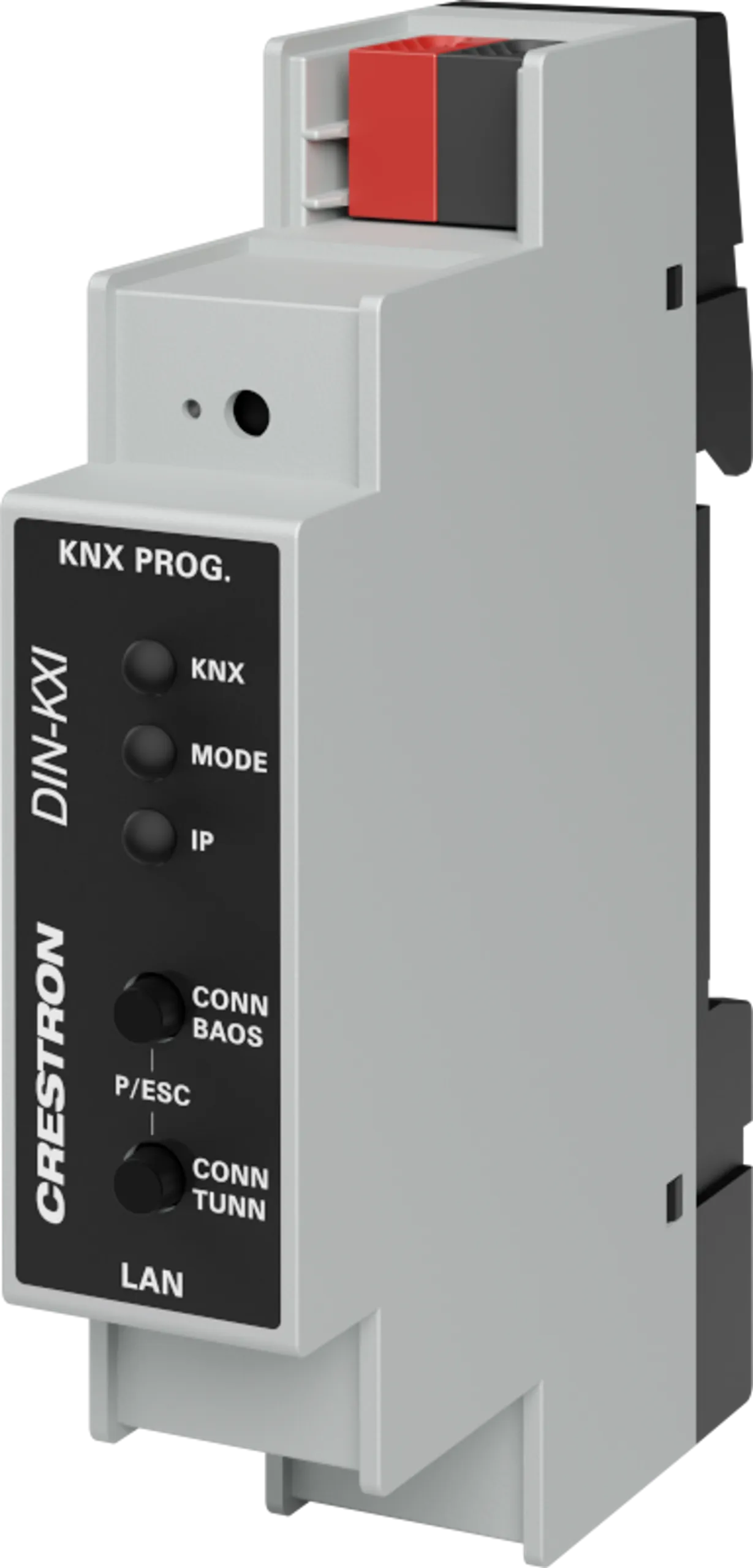
KNX TP Veri Yoluna bağlanan güvenli IP arayüzü.
Öne Çıkan Özellikler
- 1 M genişliğinde DIN rayına montaj
- Ethernet'ten KNX'e arayüz
- KNX'i Crestron® kontrol sistemiyle entegre eder
- KNXnet/IP Güvenliğini (AES-128) destekler
- 1.000'e kadar KNX veri noktasını kontrol eder
- 8 adede kadar eşzamanlı KNXnet/IP Tünel bağlantısı
- ETS Yazılımını kullanarak yapılandırma
- Kurulum ve teşhis için yerleşik kontroller
- KNX veri yolu üzerinden güç sağlanır
Teknik Özellikler
| KNX Bus | 20mA |
|---|---|
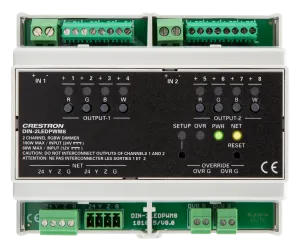
| KNX | (1) Çok renkli LED; güç ve KNX durumunu gösterir. Yeşil: KNX veri yolundan güç alındığını; yanıp sönen yeşil: KNX veri yolunda iletişimi; yanıp sönen kırmızı: KNX veri yolunda iletişim hatasını gösterir |
| Ethernet | ARP, ICMP, IGMP, UDP/IP, TCP/IP, DHCP ve Auto IP’yi destekler; DHCP varsayılan olarak etkindir, ETS yazılımıyla değiştirilebilir |
| LAN | (1) 8 pinli RJ-45, dişi; 100BASE-TX Ethernet portu; yeşil ve sarı LED’ler Ethernet port durumunu gösterir |
| KNX PROG. | Programlama moduna girmek ve fabrika sıfırlaması için (1) kırmızı LED ve (1) gömme minyatür basma düğmesi. Programlama modu: girmek için basın, LED programlama modunun etkin olduğunu göstermek için yanar. Fabrika sıfırlaması: KNX veri yolunu bağlarken basılı tutun ve tüm LED’ler yanıp sönene kadar 6 saniye bekleyin |
| MODE | (1) Çok renkli LED; BAOS ve IP tünel durumunu gösterir. Yeşil: normal çalışma modu; kırmızı: programlama modu etkin; yeşil yanıp sönme (1-10 kez): elle mod etkin, seçili BAOS bağlantısı (1-10) kullanılmıyor ve boşta, yanıp sönme sayısı bağlantı numarasını gösterir; turuncu yanıp sönme (1-10 kez): elle mod etkin, seçili BAOS bağlantısı (1-10) kullanımda; yeşil yanıp sönme (1-5 kez): elle mod etkin, seçili tünel (1-5) kullanılmıyor ve boşta; turuncu yanıp sönme (1-5 kez): elle mod etkin, seçili tünel (1-5) kullanımda; kırmızı yanıp sönme: yapılandırma düzgün yüklenmemiş |
| IP | (1) Çok renkli LED; Ethernet durumunu gösterir. Yeşil: etkin Ethernet bağlantısı ve geçerli IP ayarları; yanıp sönen yeşil: Ethernet etkinliği; kırmızı: geçersiz IP ayarları veya DHCP sunucusundan IP ayarı alınamadı |
| CONN BAOS | Elle moda girmek ve bir BAOS bağlantısı seçmek için (1) basma düğmesi; basınca elle moda girilir ve BAOS bağlantısı (1 – 10) seçilir, MODE LED’i seçilen bağlantı numarasını gösterir; elle moddan çıkmak için CONN BAOS ve CONN TUNN düğmelerine aynı anda basın |
| CONN TUNN | Elle moda girmek ve bir tünel bağlantısı seçmek için (1) basma düğmesi; basınca elle moda girilir ve TUNN bağlantısı (1 – 5) seçilir, MODE LED’i seçilen tünel numarasını gösterir; elle moddan çıkmak için CONN BAOS ve CONN TUNN düğmelerine aynı anda basın |
| Temperature | -5° ile 45°C arası (23° ile 113°F) |
| Humidity | 5% to 93% RH (noncondensing) |
| Enclosure | Polikarbonat etiket kaplamalı açık gri polikarbonat gövde |
| Mounting | 35 mm DIN EN 60715 ray montajı, 45 mm ön panel kesiğine sahip kabinler için DIN 43880 form faktörü, 1 DIN modül alanı (18 mm) kaplar |
| Height | 90 mm (3.55 in.) |
| Width | 18 mm (0,71 inç) ; 1M genişlik |
| Depth | 62 mm (2.44 in.) |
Kullanım Alanları
- Kurumsal ve ticari projelerde din modules çözümü
- Toplantı odaları, akıllı binalar ve otomasyon sistemlerine entegrasyon
- Profesyonel kurulum ve merkezi yönetim
Sıkça Sorulan Sorular
Crestron DIN-KXI Türkiye’de satılıyor mu?
Evet. Avelkon, Crestron Türkiye yetkili distribütörüdür. Stok, fiyat ve proje teklifi için bizimle iletişime geçebilirsiniz.
Teknik destek ve kurulum sağlanıyor mu?
Evet, yetkili distribütör olarak ürün seçimi, kurulum ve satış sonrası destek sunuyoruz.
Avelkon, Crestron Türkiye yetkili distribütörüdür. Fiyat ve proje teklifi için iletişime geçin.
Değerlendirmeler
Henüz değerlendirme yapılmadı.